



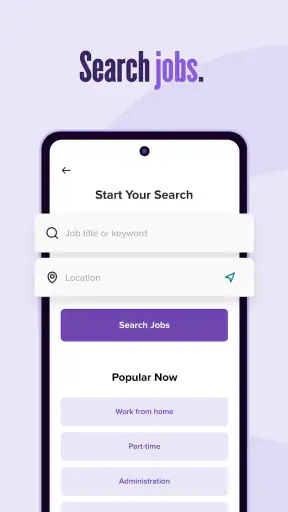
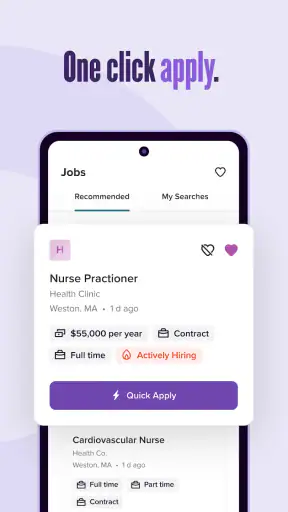
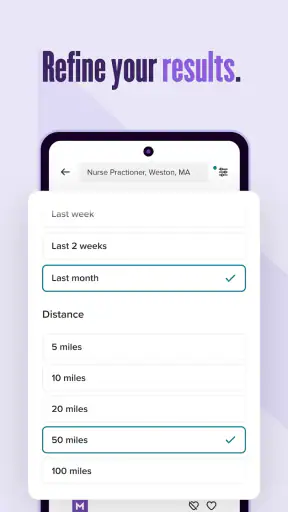
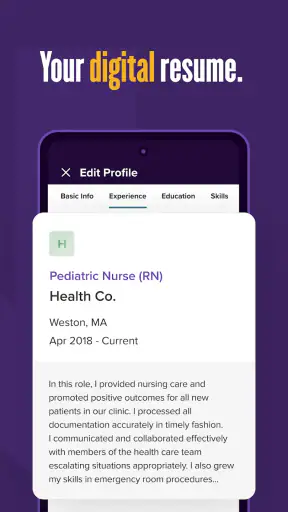


Job hunting can easily become a second full-time job: opening several boards, rewriting the same details, checking closing dates, and trying to remember which company received which version of your résumé. I found Monster Job Search most useful when I treated it as one part of a simple routine rather than as a complete career-management system. It gives me a focused place to discover openings and begin applications, but the quality of the experience depends heavily on how I prepare before opening it.
Monster Job Search is a free business app from Monster Worldwide, aimed at people looking for work on Android. It has been available since March 17, 2015, and its current version is 20.1.16. The app is rated for Everyone, so its basic audience is broad, from students and first-time applicants to experienced workers considering a change. Its average score is 4.3 from around 80 thousand ratings, with over 5 million installs, which suggests that it has become a familiar option rather than a niche job-search tool.
How I fit Monster Job Search into a sustainable job-search routine
Start with a clear target before searching
The biggest mistake I made at first was opening a job app without deciding what I was actually looking for. That usually led to a long stream of vaguely interesting listings and very little progress. Monster Job Search works better when I begin with a small brief: the role or role family I want, the locations I can realistically accept, the level of experience I have, and the conditions that would make a job unsuitable.
That preparation matters because job boards are designed to offer possibilities. They are not designed to decide whether a position fits your life. Before searching, I write down a short list of acceptable titles and related terms. For example, someone seeking customer support work might search more broadly than one exact title, while someone pursuing a regulated profession may need to be much more precise. This prevents the app from becoming a source of endless browsing.
I also keep a separate note with my résumé details, employment dates, education, certifications, and a few adaptable achievement statements. That note is useful because a quick application is only helpful if the information submitted is accurate. The promise of applying in seconds should not encourage careless applications with an outdated résumé or a generic answer to every employer.
Use discovery as the first stage, not the whole process
My preferred workflow is to use the app first for discovery. I scan listings for suitable titles, employer names, location clues, responsibilities, and the experience level requested. I do not immediately apply to every position that looks close. Instead, I separate opportunities into three groups: strong matches, possible matches that need research, and listings that are clearly unsuitable.
This small sorting step is more valuable than it sounds. It stops a busy search from turning into a collection of half-finished applications. It also helps reveal patterns. If many attractive listings ask for a skill I rarely mention, I know that my résumé may need a clearer explanation of that skill before I submit anything else.
Monster Job Search is especially convenient for the first pass because it brings job discovery into a mobile format. I can check opportunities during a commute, a lunch break, or a quiet moment at home. Still, I prefer doing the serious comparison on a larger screen when possible. A phone is excellent for capturing an opportunity; it is less comfortable for carefully comparing several descriptions and tailoring documents.
Capture useful details while the listing is fresh
A practical habit is to record the important details immediately after finding a promising role. I note the employer, title, location, date I found it, and the specific requirements that attracted me. I also save a copy of the résumé or cover-letter version I intend to use. This creates a simple application log outside the app and prevents the common problem of forgetting what was sent.
This is one of the less obvious trade-offs of a mobile job-search tool: speed improves when the application is treated as the beginning of a process, not the end. A fast submission without a record can create confusion later, especially when several roles have similar titles. My log also gives me a place to write follow-up dates and questions for an interview.
I recommend reading the full listing before committing. A short title can hide a schedule, travel expectation, seniority level, or location that makes the role inappropriate. The app can help me find the opening, but I still need to judge the employer’s wording and the practical demands of the position.
Build a repeatable routine instead of checking constantly
Checking job listings all day feels productive, but it rarely produces the best applications. I get better results from a repeatable routine: one session to discover roles, another to shortlist them, and a separate block to prepare applications. The exact timing can vary, but the separation protects my attention and makes each application more deliberate.
For example, on a weekday evening I might spend a short session reviewing new opportunities and marking only the roles that meet my basic criteria. The next day, I can return to the strongest listings with my résumé and notes ready. This approach reduces impulsive applications and makes it easier to notice whether I am pursuing the same kind of work consistently.
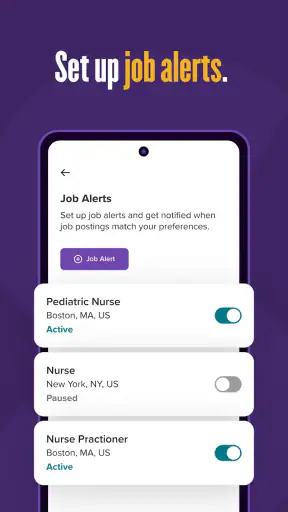
Notifications and frequent checks can be useful for an active search, but they can also create pressure. I would rather use the app at planned times than let every new listing interrupt work, study, or family time. A sustainable search needs energy for interviews, networking, skill development, and rest as well as applications.
Another helpful routine is a weekly review. I look at the roles I saved or applied for and ask three questions: Did the position genuinely match my target? Did my application show the relevant evidence? What should I change next time? This turns the app from a scrolling habit into a feedback loop.
Apply quickly, but not mechanically
The fast-application aspect is useful when I have already prepared. If my résumé is current and the role is a strong match, reducing repeated typing can help me respond while the listing is still relevant. I particularly appreciate this when I am applying from a phone and do not want to reconstruct the same basic information from memory.
However, speed is not the same as quality. I pause before submitting to check the employer, job title, location, work arrangement, and any question that requires a personal answer. I also compare the résumé version with the role. If the listing emphasizes a skill that is present in my experience but buried on the page, I adjust the document before applying.
A useful rule is to reserve rapid applications for roles that already pass my screening checklist. For less certain roles, I use the listing as a prompt for further research. This keeps the convenience of the app without turning my job search into a numbers game.
Where the experience can become frustrating
The main limitation is that a job board cannot replace judgment. Search results may include roles that look related but differ substantially in seniority, schedule, duties, or employer expectations. I have to read carefully rather than assume the title tells the whole story. People who want a highly curated shortlist may find this extra filtering tiring.
Mobile application is another point where convenience has limits. Typing detailed answers, editing a résumé, or comparing several versions of a document is simply easier on a computer. I see the app as a strong companion for finding and starting applications, not necessarily the ideal environment for every part of a complex submission.
There is also a psychological failure point: the app can make applying feel so easy that I submit too broadly. That creates a poor return on time and makes it harder to prepare for follow-ups. I avoid this by setting a daily or weekly application goal based on quality, not just volume.
Users who expect a complete pipeline from discovery through interviews and offers may need additional tools. I use a notes app or spreadsheet for tracking, a document editor for tailoring materials, and a calendar for reminders. That is not a criticism of Monster Job Search so much as a realistic boundary: it is most valuable as the job-discovery and application entry point in a wider system.
Who will benefit most from it
I would recommend Monster Job Search to people who want a straightforward way to browse employment opportunities from a phone and begin applications without rebuilding their profile each time. It is particularly useful for active seekers who already have a résumé prepared and want to stay aware of openings while away from a computer.
It can also suit someone returning to work who needs a simple starting point. The app gives that person a place to explore titles and requirements, then compare them with existing experience. Used slowly and deliberately, it can help turn a vague intention to find work into a manageable weekly practice.
People changing careers should approach it with more preparation. Searching only by a previous job title may hide relevant transition roles, while searching too broadly can create noise. I would first identify transferable skills and target industries, then use those ideas to guide searches and evaluate listings.
I would be less enthusiastic for someone who needs specialist academic, freelance, government, or highly local opportunities and already knows that their preferred source is elsewhere. In those cases, a specialized board, professional network, recruiter, or direct employer career page may provide a better match. Monster Job Search is convenient, but convenience does not guarantee the deepest coverage for every profession.
What to expect from the app itself
Monster Job Search is free to use, which makes it easy to try without adding a financial commitment to an already stressful process. Its Everyone age rating also makes it approachable for a wide range of adult job seekers and younger users beginning to explore employment. I still think the right decision is based on workflow rather than price: a free app is only useful if it helps me submit better applications and keep track of them.
The app’s long presence in the mobile job-search space is reassuring for people who prefer an established service, and its large install base indicates that many users turn to it for employment discovery. Those figures do not remove the need for careful screening, but they do make it feel like a practical starting point rather than an experimental download.
On Android, the stated minimum operating-system requirement is version 7.0, so compatibility should be comfortable for many older devices. The current release, version 20.1.16, is worth checking before relying on the app during an active search. Keeping the app current is sensible for stability, while keeping personal documents current is even more important for the quality of the applications themselves.
My everyday example of using it well
Imagine I am working in retail and want to move into office administration. I would not begin by searching every administrative job in my area. I would first list transferable strengths such as customer communication, scheduling, cash handling, inventory accuracy, and resolving problems under pressure. Then I would search for entry-level administrative and coordinator roles, review the descriptions, and identify which requirements appear repeatedly.
During the first session, I would save only the openings that fit my location and experience. For each one, I would note whether the employer emphasizes scheduling, data entry, reception, or customer contact. Before applying, I would revise my résumé so those relevant experiences are easy to find, rather than simply changing the job title at the top.
After submitting a strong application through the app, I would record the date and the version of my résumé. Later, I could compare responses across role types. If coordinator roles produce more interest than general office listings, that information would help me focus the next search. The app supports the discovery and submission steps; the tracking note turns those steps into learning.
My final assessment
Monster Job Search is most effective when I use it as a disciplined doorway into the job market, not as a replacement for preparation. It makes mobile discovery convenient, reduces friction at the start of an application, and can fit neatly into a weekly search routine. The free price and broad audience make it easy to test, while the established service and strong average rating give it credibility as a practical option.
Its weaknesses are equally clear. Search results still require human judgment, detailed applications may be easier on a computer, and quick submission can encourage low-quality applications if I am not careful. Anyone expecting a fully managed career system may need other tools for documents, tracking, research, and follow-up.
For me, the best approach is simple: define the target first, use the app to find relevant openings, capture the details, tailor the application, and review the results each week. If that sounds like the kind of structure you can maintain, I think this is a worthwhile job-search app to add to your routine. If you prefer highly specialized sources or want every part of the hiring process handled in one place, another option may suit you better.


